Links that fail to load stay visible
- fixed A picture link that can't load (expired, deleted, or a format your browser can't show, like iPhone HEIC photos on Windows) used to disappear from the bubble entirely, taking its text with it. It now falls back to a normal clickable link, so you always see the address and can open it yourself.
- fixed Links inside your own message bubbles were painted in your brand color: the same color as the bubble background itself. A pasted link looked like a blank line, as if it never arrived. Bubble links now use the bubble's own text color and stay underlined, whatever accent you pick.
When a message contains a picture link, chats try to show the picture right in the bubble. That is the fast path, and it stays. But when the picture can't load (the file expired, it was deleted, or it's a format your browser can't display, like the HEIC photos iPhones take, viewed on Windows or Linux), the bubble used to show nothing at all: an invisible broken image, with the link's address appearing nowhere. If you pasted a link with a line of text after it, the text arrived and the link seemed to vanish.
Now the bubble notices when a picture fails and swaps itself to a plain clickable link with the full address. You always see what was sent, and you can still open it yourself.
There was a second way a link could go missing, and it had been there since links in bubbles were first tinted with your brand color: your own bubbles are filled with that same brand color, so a link inside one was brand-color-on-brand-color. Invisible. If you pasted an address with a line of text after it, the text arrived and the address read as a blank line.
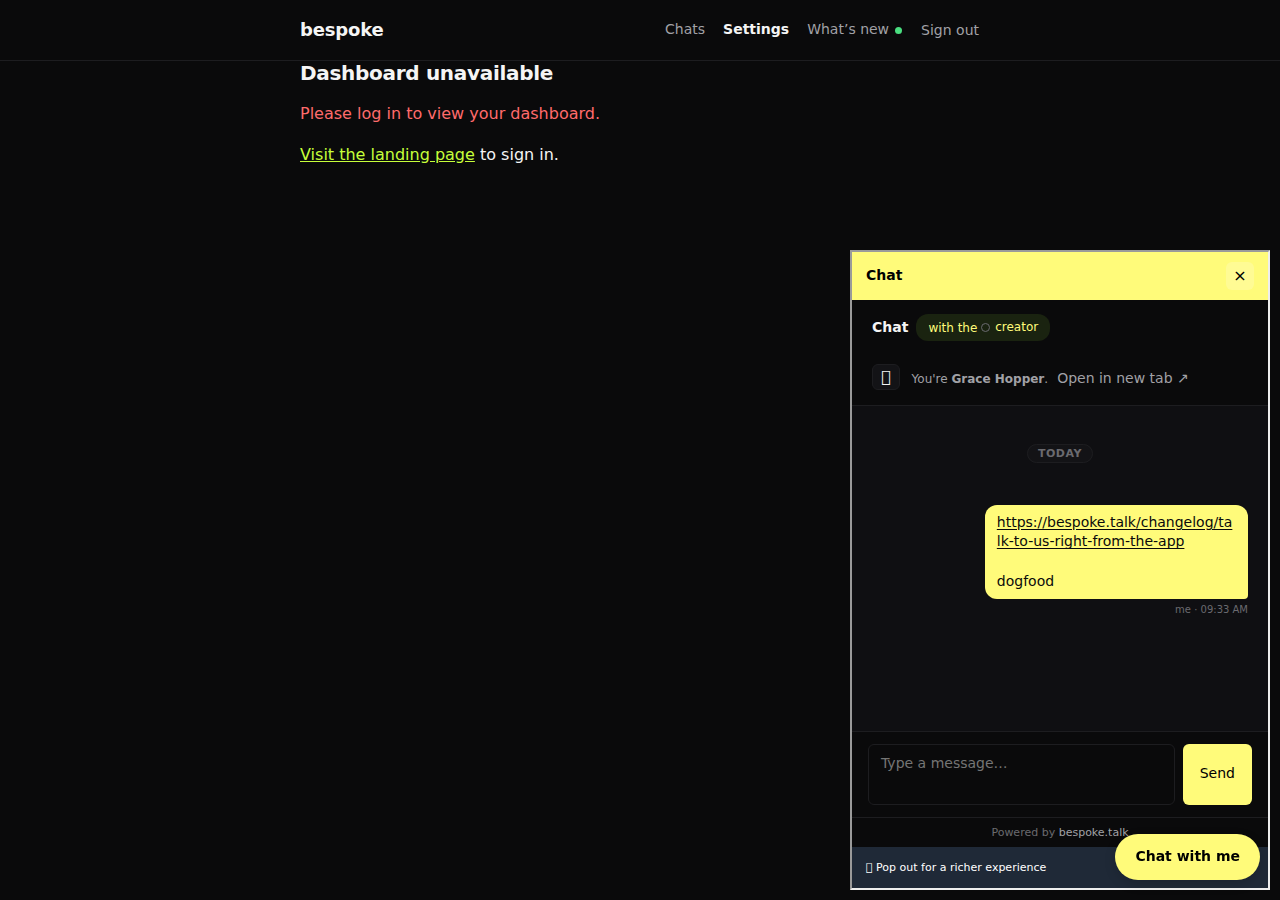
Links inside bubbles now take the bubble's own text color (the pairing the bubble already uses for every other word) and carry a quiet underline, so they stay readable no matter which accent you choose.
← All changes