A link people click to talk to you. No account, no app, no friction.
Stop telling people to email or DM you. Put one link on your site, in your bio, on your slides. They click, they type. You answer from an inbox that keeps everything.
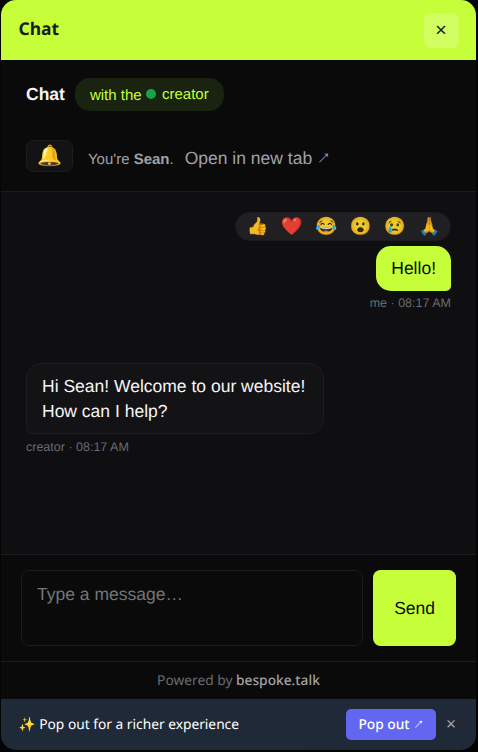
See it live: the bubble in the corner of this page is the product.
How it works
Three steps. Zero friction for them.
Click a link
You hand out a labeled URL. No client install, no account on their side.
They just type
Their browser opens a chat. Nothing to install, nothing to sign up for.
Your inbox keeps it
Every message lands in your dashboard. Stays there until you delete it, even after they close the tab.
Where it lives
Drop it anywhere people already are.
Your site
One script tag and a launcher appears on the page. Visitors chat without ever leaving it.
Your bio
The link itself works anywhere a link works. Linktree, a social bio, an email signature.
Your slides
A QR code on the closing slide. You get the questions people won’t ask out loud.
What’s in the box
Built for handling many conversations at once.
Multi-chat inbox
One tab, every conversation, live presence and unread counts.
Per-link theming
Match each link to its context with custom CSS.
No account needed
To reach you, someone clicks the link and types. No signup, no app.
Conference rooms
Open a group room anyone can join from one link. Nicknames, avatars, live presence.
Why it works
Easy for them. Kept for you.
Them
Click and type.
- No account, no app, nothing to clean up after.
You
Keep everything.
- Every conversation lands in one inbox and stays until you delete it.
- Mute a noisy chat, destroy it permanently, or revoke the link itself.
Questions
Things people ask.
Do chats disappear? +
Does someone need an account to message me? +
What about spam and trolls? +
What’s the chat built on? +
What can people see when they click my link? +
Can I embed bespoke on my own website? +
<script> tag on any
page and a launcher appears. Anyone who clicks it lands in your inbox without
leaving your site. Customizable per-link so it matches your branding.